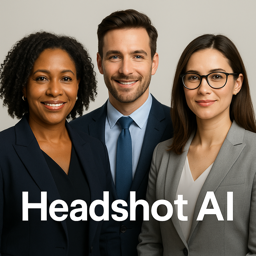
In the digital age, first impressions often happen online. Whether you are updating your LinkedIn profile, enhancing your portfolio, or simply sharing on social media, having a professional headshot can make all the difference. Enter the AI Headshot Photo Generator HS, a revolutionary app designed to transform ordinary photos into extraordinary, professional-grade headshots. Utilizing sophisticated artificial intelligence, this app offers a seamless experience for iPhone and iPad users, providing tools that are both powerful and easy to use. With the AI Headshot Photo Generator HS, you can achieve studio-quality results without the need for expensive equipment or a professional photographer. This app empowers users to elevate their image game effortlessly, ensuring that every photo reflects their best self. Let’s delve deeper into how this app can revolutionize your photo-taking experience.
What Makes AI Headshot Photo Generator HS Stand Out?
The AI Headshot Photo Generator HS is not just another photo editing tool; it is a comprehensive solution for those looking to enhance their photo quality with minimal effort. One of the standout features of this app is its intuitive AI technology that automatically detects facial features and optimizes lighting, color, and sharpness to create a flawless headshot.
- Ease of Use: Designed with a user-friendly interface, it allows even beginners to navigate through its features effortlessly.
- Customization Options: Users can choose from a variety of filters and adjustments to personalize their photos to their liking.
- Instant Results: The app processes images quickly, providing immediate results without compromising on quality.
These features make the AI Headshot Photo Generator HS a preferred choice for professionals and casual users alike.
How to Use AI Headshot Photo Generator HS for Best Results
Getting started with the AI Headshot Photo Generator HS is a breeze. First, download the app from the App Store and install it on your iPhone or iPad. Once installed, follow these simple steps:
- Open the App: Launch the app and grant the necessary permissions to access your photo library.
- Select a Photo: Choose an existing photo or take a new one using the app’s built-in camera function.
- Apply Edits: Use the app’s powerful AI tools to enhance your photo. Adjust brightness, contrast, and apply filters to achieve the desired effect.
- Save and Share: Once satisfied, save the edited photo to your device or share it directly to social media platforms.
With these steps, you can create a professional-grade headshot in minutes.
Real-Life Examples of AI Headshot Photo Generator in Action
Many users have transformed their digital presence using the AI Headshot Photo Generator HS. For instance, John, a marketing professional, improved his LinkedIn profile picture, resulting in increased networking opportunities. Similarly, Sarah, a college student, used the app to enhance her portfolio images, making a stronger impression during job interviews.
These examples highlight the tangible benefits of using the AI Headshot Photo Generator HS, proving its value in various professional settings.
Frequently Asked Questions
Can I use AI Headshot Photo Generator HS on my iPad?
Yes, the app is compatible with both iPhone and iPad, providing a seamless experience across devices.
Is it necessary to have photography skills to use the app?
No, the app is designed to be user-friendly, making it accessible to users with any level of photography experience.
Are the photos edited with the app high resolution?
Yes, the AI Headshot Photo Generator HS ensures that all edited photos maintain high resolution and quality.